Introduction
A team consists of AD users and/or AD groups. Each team can have access to its own set of SQL Servers, databases and agent jobs.
Each teams will have its own space in the visual presentation layer in Grafana. If a team modify existing dashboards or create new dashboards, other teams wont be affected.
If a users is a member of multiple teams, teams can be switched in Grafana with “Switch organization”:
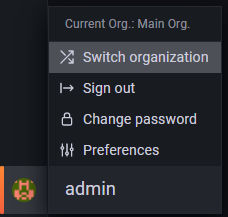
Users in the “Performance Store full access” group will have access to all teams:

Teams can managed from the “Manage teams” section:
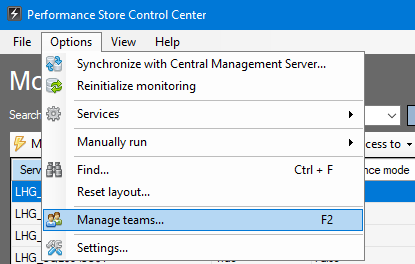
Manage teams:

Granting access for teams
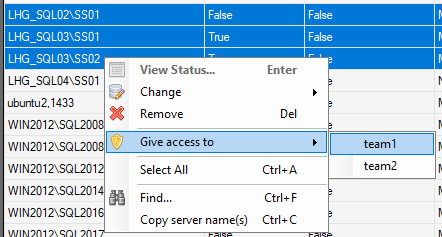
To give access to specific SQL Servers to a team, choose “Give access to” and then the team:
When giving access to a SQL Server for a team, all databases and agent jobs are available to the team by default. To give access to only specific objects choose “Specific object access”:
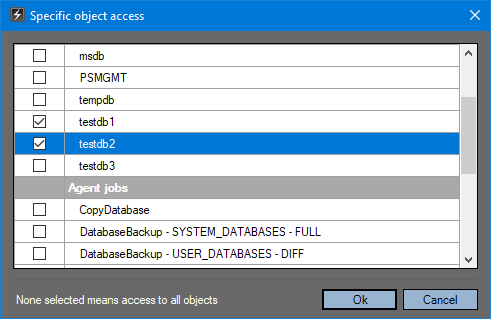
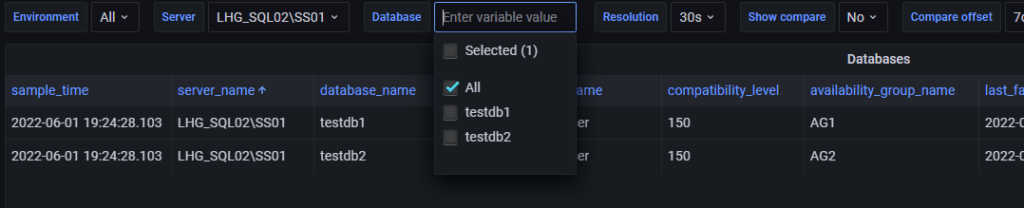
Hereafter only access to selected databases for the given SQL Servers are available to the team:
Data masking
By default any data that can contain sensitive data is masked by default. This can be changed for each team, SQL Server, database and agent job:
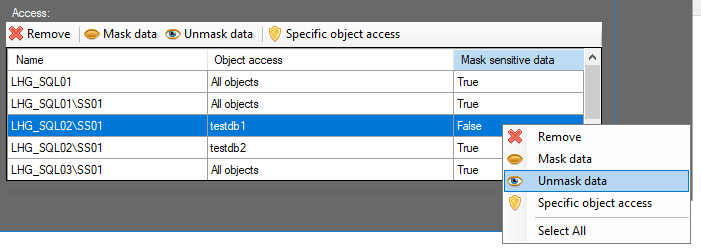
Changing data masking options will take effect immediately:

See more in Data masking.