Automated database cleanup
When having thousands of databases, it can be difficult to keep an overview of active and inactive databases. Some times a tester or developer creates a new database and forgets about it. Inactive databases can live for years, having backups being taken of the database every 15 minutes, and having backups taken of these backups. All using storage and resources.
Performance Store keeps track of inactive databases by looking at:
- Index usage information. E.g. when has a SELECT, INSERT, UPDATE etc. been performed on a table (note, it does not matter if the table is having any indexes or not)
- Audit information. When has a DDL change been performed in the database, e.g. when has a table been created
- Extended audit information. E.g. when has the database last been accessed according to the Extended audit rules
- Activity information
- Top completed information
A database will be marked as inactive if any of the above has not created an activity in the database for the time period set in the Cleanup section in the Performance Store Control Center settings (default 90 days):
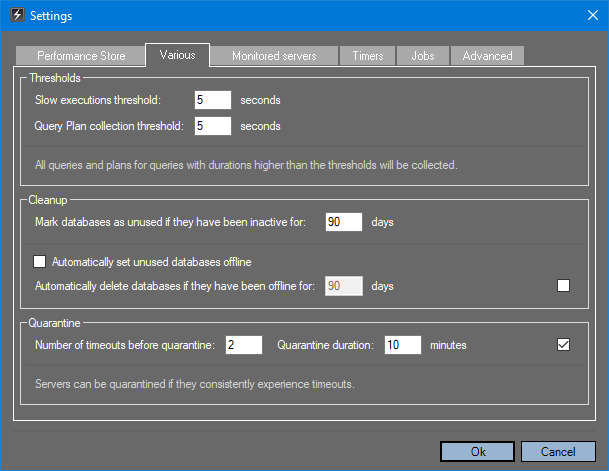
A database marked as inactive will create an alert, as well as being marked as “unused” on the Databases dashboard:

In the Performance Store Control Center, it can be configured to automatically set inactive databases offline. Furthermore it can be configured to automatically delete databases that has been offline for a given time period (default 90 days). If chosen to automatically delete databases, they will only be deleted if:
- The database is a non-production database
- The database is a production database and has at least one full backup taken
Some times databases exists that contains no tables and they will therefore be marked as inactive. To exclude such databases from being set offline automatically, add them to the dbo.offline_databases_whitelist table.
To see what databases that has been set offline (both automatically or manually) or deleted, use the dbo.v_offline_databases view.