Performance Store Control Center
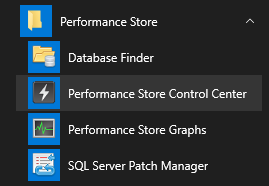
The Performance Store Control Center can be started from the start menu:
Or from any computer from:
\\[PerformanceStoreServer]\Tools\ControlCenter\PerformanceStoreControlCenter.exe
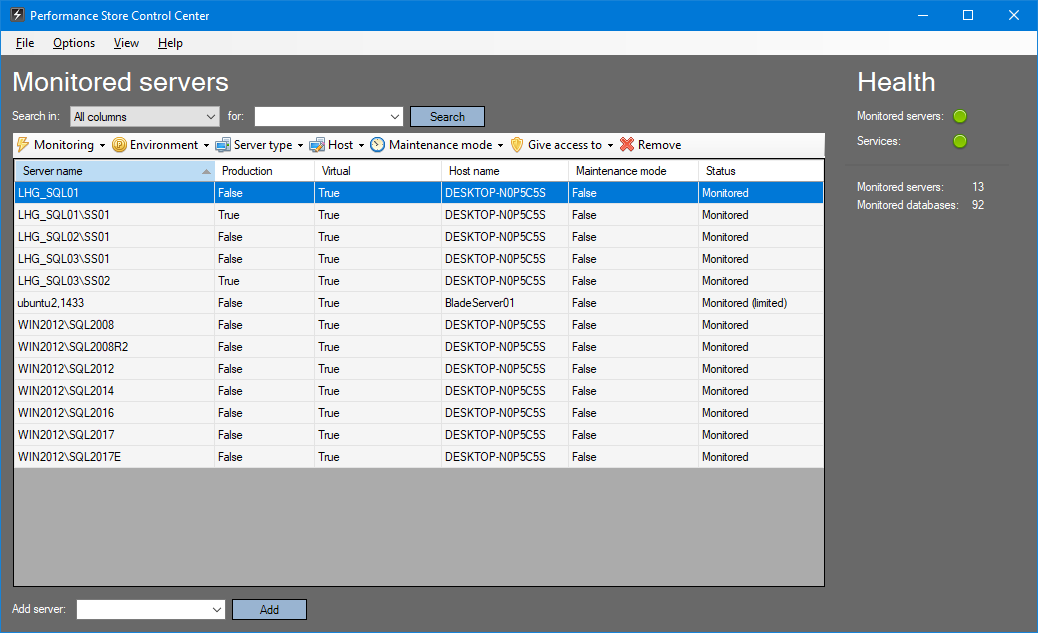
From the the Performance Store Control Center, the following tasks can be performed:
- Product registration
- Product updates
- Reinitialization of monitoring
- Add/remove SQL Servers to/from monitoring
- Enable/disable monitoring on individual SQL Servers
- Enable/disable maintenance mode
- See Performance Store services health
- Performance Store services start/stop
- Synchronize SQL Servers with a SQL Server Central Management Server
- Categorize SQL Servers in Production/Non-production categories
- See health of monitored SQL Servers
- Configure Performance Store
- Set host information for virtual machines
- Manage teams
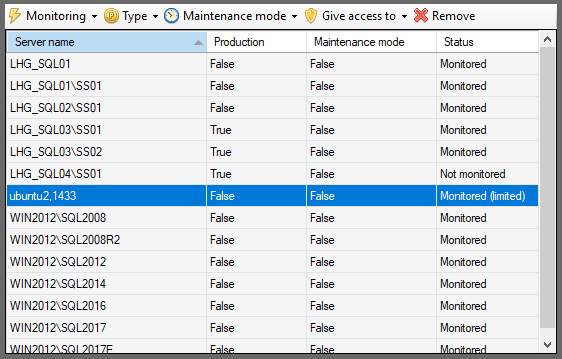
Note, when adding a SQL Server hosted on a Linux platform, the SQL Server should be added with the port number, e.g. ubuntu2,1433 and not the instance name:
Permissions
To use the Performance Store Control center, the user must be:
- a local administrator on the Performance Store server
- sysadmin on the SQL Server hosting the Performance Store database
Maintenance mode
Servers can be set in maintenance mode from the Performance Store Control Center, or from a dedicated stored procedure. Persons or systems might need to set a server in maintenance mode, without having access to the Performance Store Control Center. This can be done from the dbo.s_set_maintenance_mode stored procedure:
exec dbo.s_set_maintenance_mode @server_name = N'LHG_SQL01\SS02', @maintenance_mode = 0
The @maintenance_mode parameter is a bit and can be either 1 or 0.
Note, only servers that the executing user has access to can have its maintenance mode set from dbo.s_set_maintenance_mode.
A history of who set what in maintenance mode and when can be seen in the dbo.v_maintenance_mode_history view.
When a server is in maintenance mode, alerts will not be thrown for this server.